
We're Celebrating Summer With A Sale!

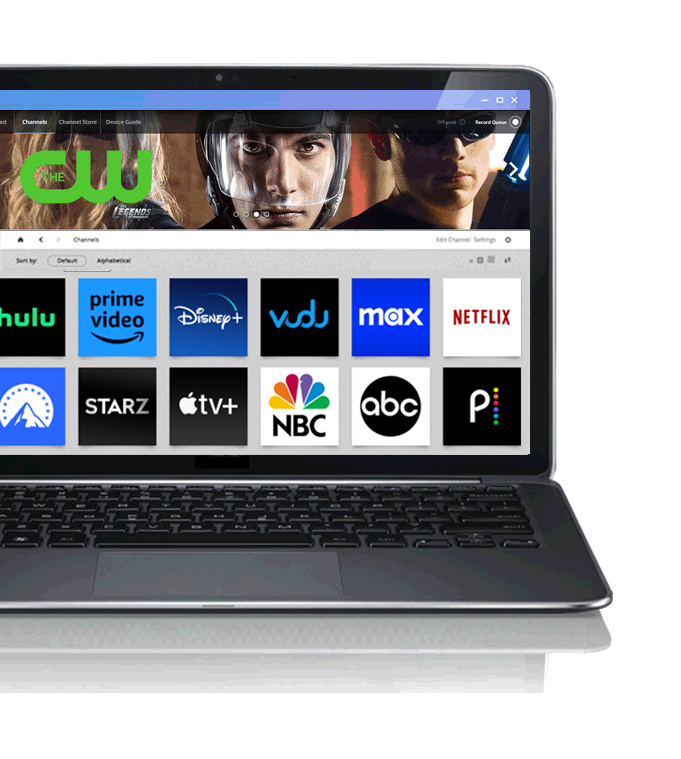
Get PlayOn today to start streaming over 100 channels of premium content on your TV, iPad, iPhone, and Android devices right away! Select a plan below to get started!
30-day money back guarantee
Join our happy PlayOn customers risk-free with our 30-day money back guarantee
 
PlayOn
Annual
$24.99
/year
REG. $39.99
Low cost and flexible. Cancel at anytime. This license is valid for one year. $24.99/year thereafter. Don't miss this chance to get PlayOn at a great price.
PlayOn
Lifetime
$49.99
/ one-time
REG. $89.99
Pay a one-time fee that is less than the price on a month of cable and keep using PlayOn for as long as you'd like. No recurring charges. Don't wait, this low price won't last.
PlayOn + PlayLater
Lifetime
$59.99
/one-time
REG. $129.99
Get all of what PlayOn has to offer plus PlayLater, the first DVR for online content. Record your favorite shows and movies from Netflix, Hulu, and more. Recommended by CNET!
Access to over 100 channels
Stream to TV
Watch on smartphone1
Watch on tablet1
Stream your local media
One-time payment


1Depending on your device, you may wish to download a separate app from iTunes or Google Play -- it's free to download! See the PlayOn user guide or PlayLater user guide for details.

Unavailable for Mac OS

Just so you know, PlayOn needs a Windows PC to stream movies, shows, sports, and more to your TV and other devices. If you're running Bootcamp or Parallels on a MAC, we can probably work with that. Take a look at FAQs about PlayOn for more information.

License Details

How to Register Your Software

Once your payment has been processed, you will receive a confirmation email from support@playon.tv with your license key information. You will need to add your license key to PlayOn Settings (Start > All Programs > PlayOn > PlayOn Settings, Registration Tab) and/or PlayLater Settings (Start > All Programs > PlayLater> PlayLater, Settings button, Registration tab).

Ensure You Receive Your License Mail

If you do not receive an email within one hour with your license information, please verify that our mail hasn't been blocked by your spam or junk mail filters so be sure that your spam filter is set to allow mails from PlayOn. Also note that eChecks often take 3-5 days to clear, but once cleared, your license key will be sent. 

What's the Difference Between a Subscription License vs. a Lifetime License?

While your license is valid, you will receive all patches and bug fixes for the product you have purchased. If you are a subscription customer and you cancel your subscription, your license will remain valid for the term you have already paid for, and you will receive all software updates up until the time your license expires. If you are a lifetime license for the PlayOn Premium or PlayLater product, your license will be valid for the life of the product and you will receive all future patches and bug fixes.

A Note to All Customers
Please note that new products from MediaMall Technologies may require a fee to purchase for all customers. PlayOn and PlayLater software enables browsing of content provider websites that may not have a direct affiliation with MediaMall Technologies. Although we work tirelessly to ensure continued PlayOn and PlayLater compatibility with all current and future supported services, MediaMall cannot guarantee such support in any way.

Canceling Your Subscription

In the event you wish to cancel your subscription, you may do so at any time from the cancellation form. If you cancel your plan, your cancellation takes effect on your next billing cycle. We will not be able to refund you for any unused portion of your subscription plan. If you cancel PlayOn after your re-billing period has started, you will still be able to continue using PlayOn through the end of the billing period and no further charges will be made to your credit card. This cancellation policy applies to both PlayOn and PlayLater.

30-Day Money Back Guarantee

PlayOn offers a 30-day money back guarantee. We can provide a full refund for any refund requests that are made within 30 days from purchase. You must email us at support@playon.tv to make a refund request. For refund requests that are made more than 30 days past the date of purchase, we cannot provide full refunds nor can we pro-rate refunds based on the unused portion of your PlayOn subscription. If you opted for a subscription plan and cancel it, your cancellation will take effect on the first day of your next billing cycle and you will not be billed further.

If you need additional information regarding purchasing PlayOn Premium or PlayLater software, please visit our PlayOn FAQ page or PlayLater FAQ page, or contact us at support@playon.tv. Be sure to enter your email correctly when making your purchase since we will be emailing your account information to you.